Your construction sidekick that actually works on site
SCSK is the offline-first app built by a site foreman for construction supervisors, foremen, and project managers. Track projects, jobs, documents, photos, checklists, inventory, and team work across Android and Windows. It is fully functional on phones, with the richest day-to-day experience on tablets and Windows desktop.
Current release v1.1.0. Built BY a tradie, FOR tradies.
Get SCSK
Install SCSK on Android from Google Play, or download the Windows installer for desktop workflows. SCSK works on smaller mobile devices for quick field capture, while tablets and Windows desktop give you more room for planning, reporting, and document-heavy work.
Android App
Install SCSK from Google Play on phones, tablets, and foldables. Phones are ideal for quick capture on site; tablets give the app more room for project views, reports, and daily coordination.
Open Google Play Download APKWindows Installer
Install the Windows desktop app for office workflows, larger screens, and document-heavy project work. It is the best fit for planning, reporting, and managing more complex project records.
Download InstallerBuilt for Real Job Sites
Practical tools designed for day-to-day construction site management. No corporate bloat, just features that work.
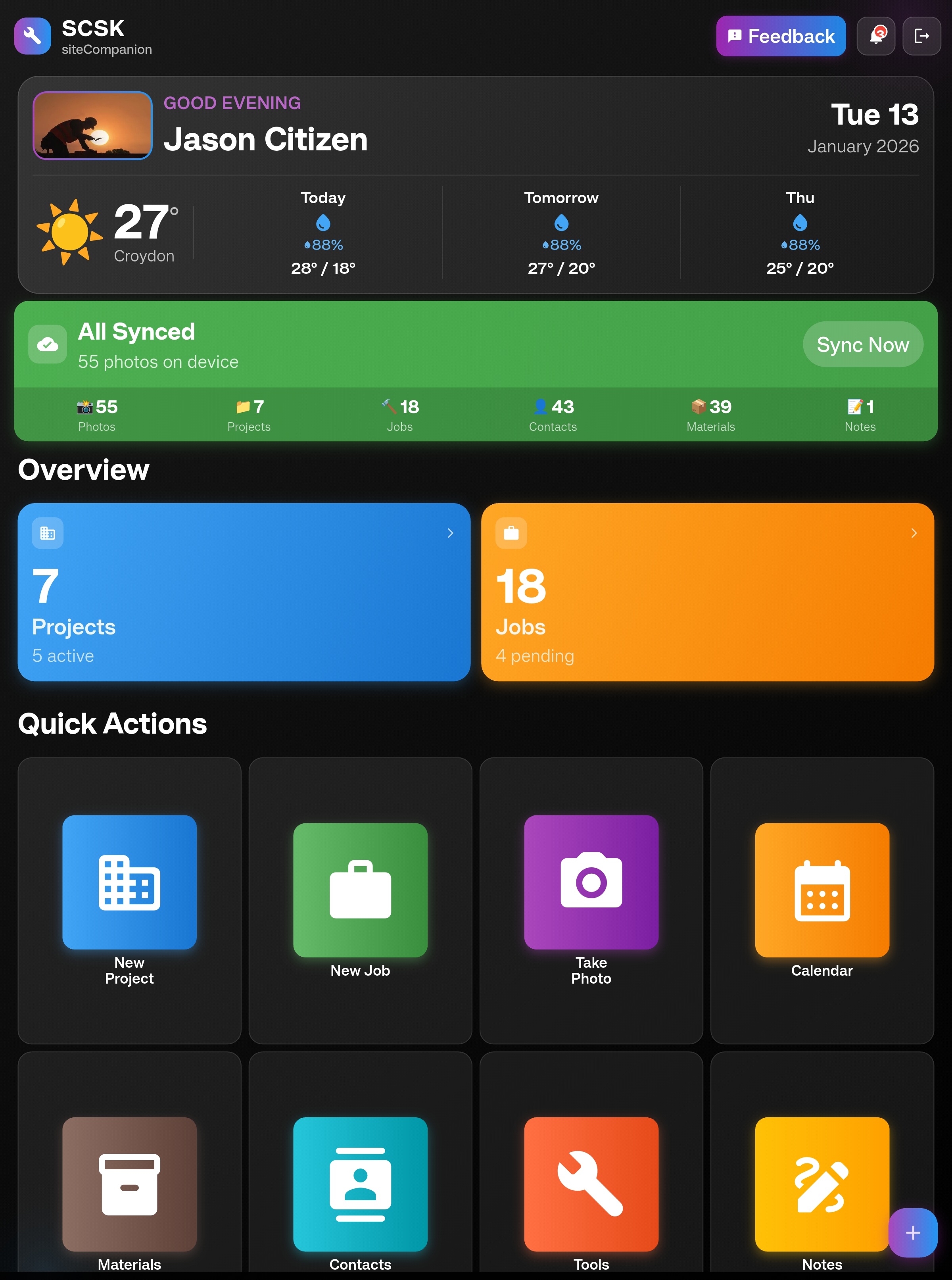
Smart Dashboard
Your command center. See project stats, pending jobs, weather, and quick actions at a glance. Customizable widgets show what matters to you.
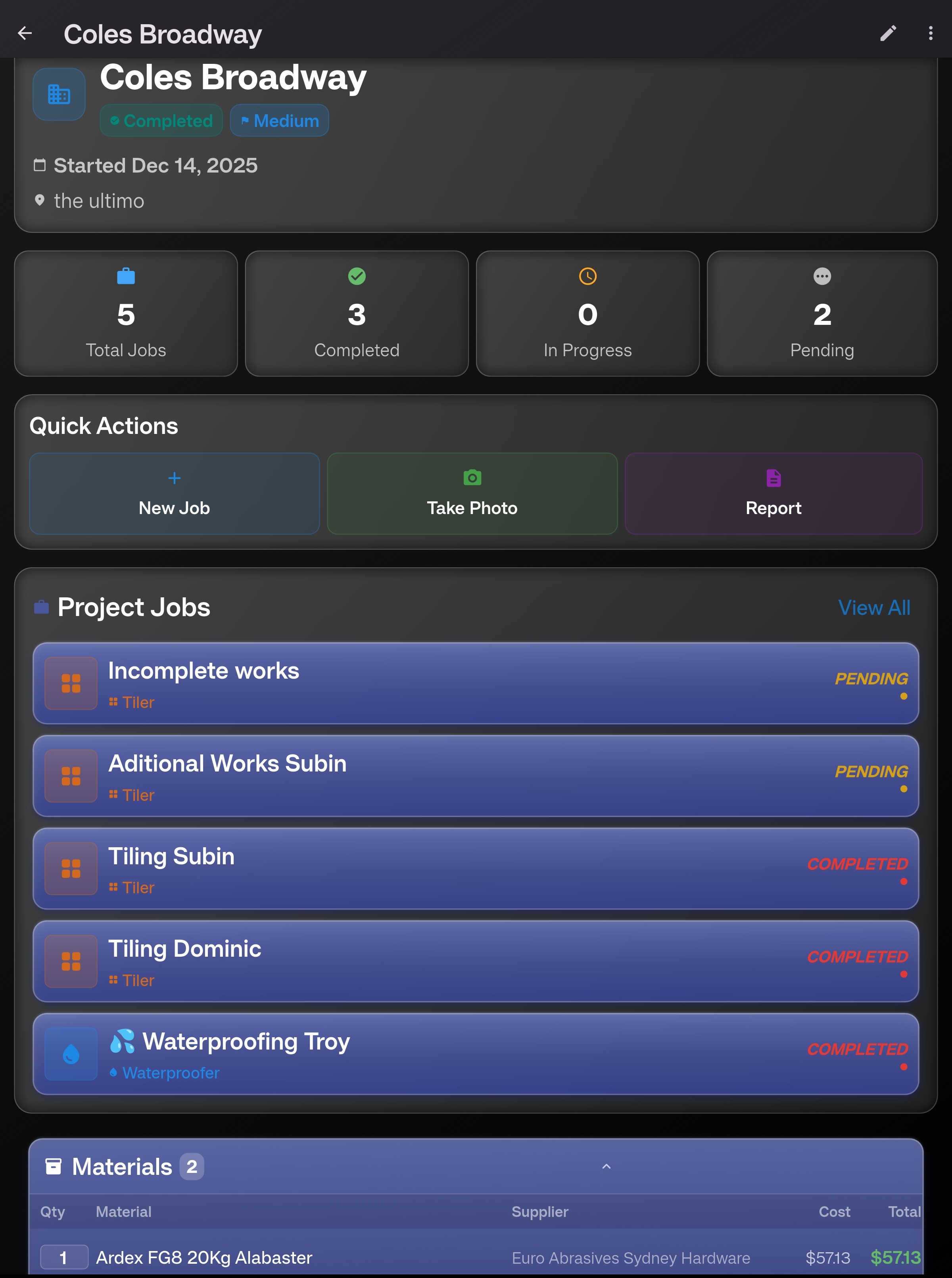
Project Management
Complete project overview with jobs, date ranges, photos, contacts, project-linked notes, files, and materials tracking. Everything organised in one place.
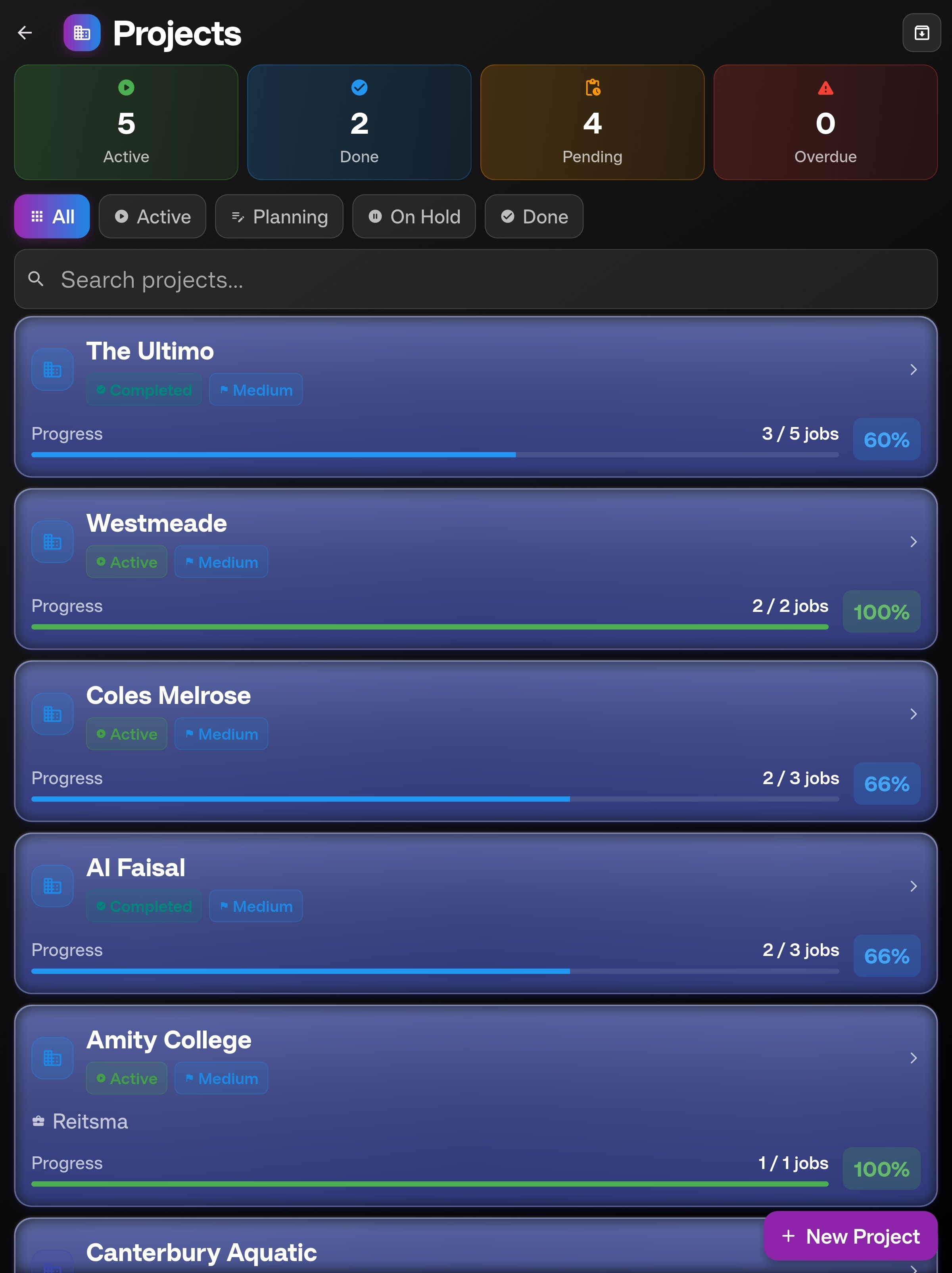
Multi-Project View
Manage unlimited projects. Filter by status, search instantly, see progress at a glance. Perfect for supervisors managing multiple sites.
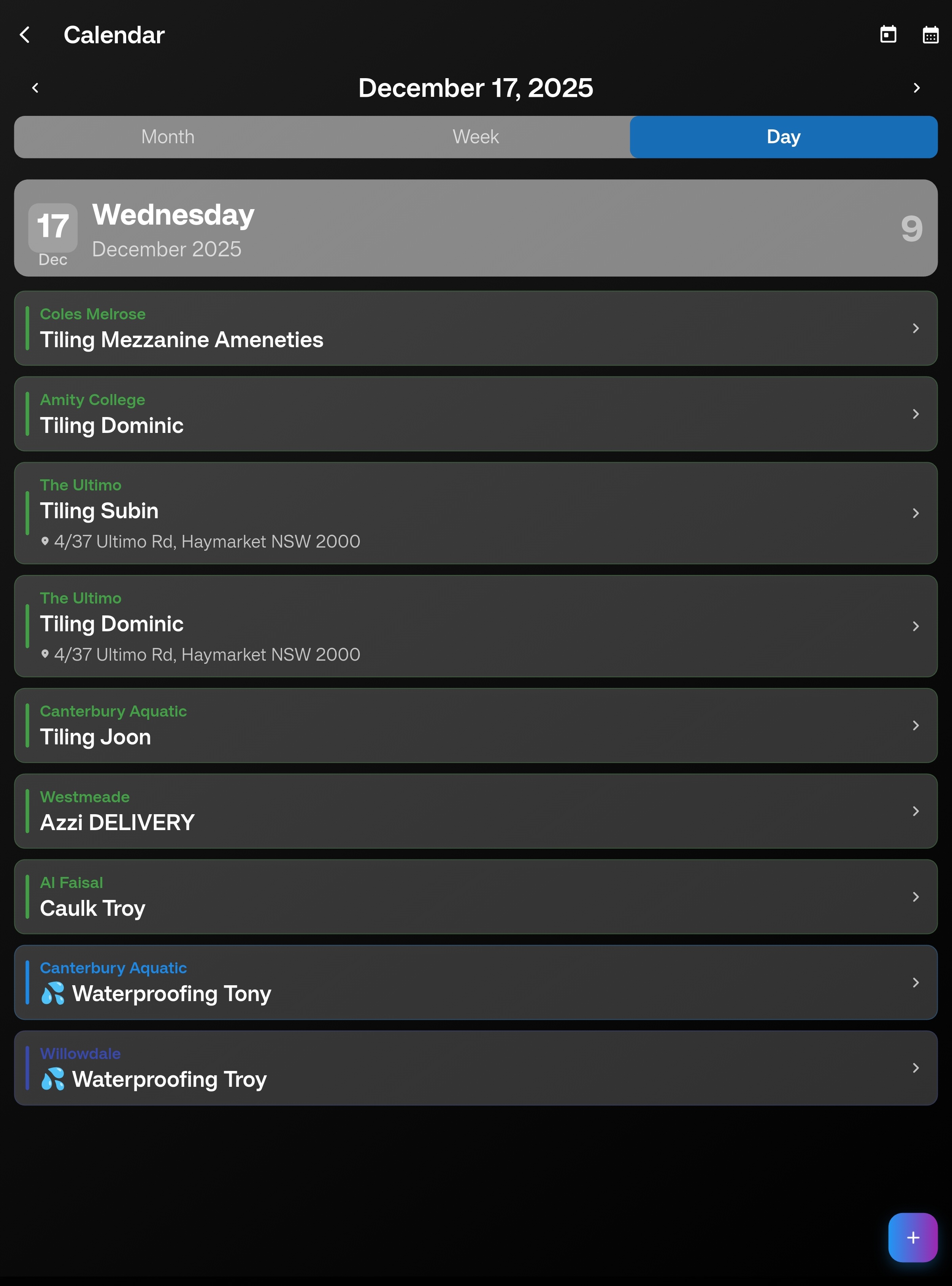
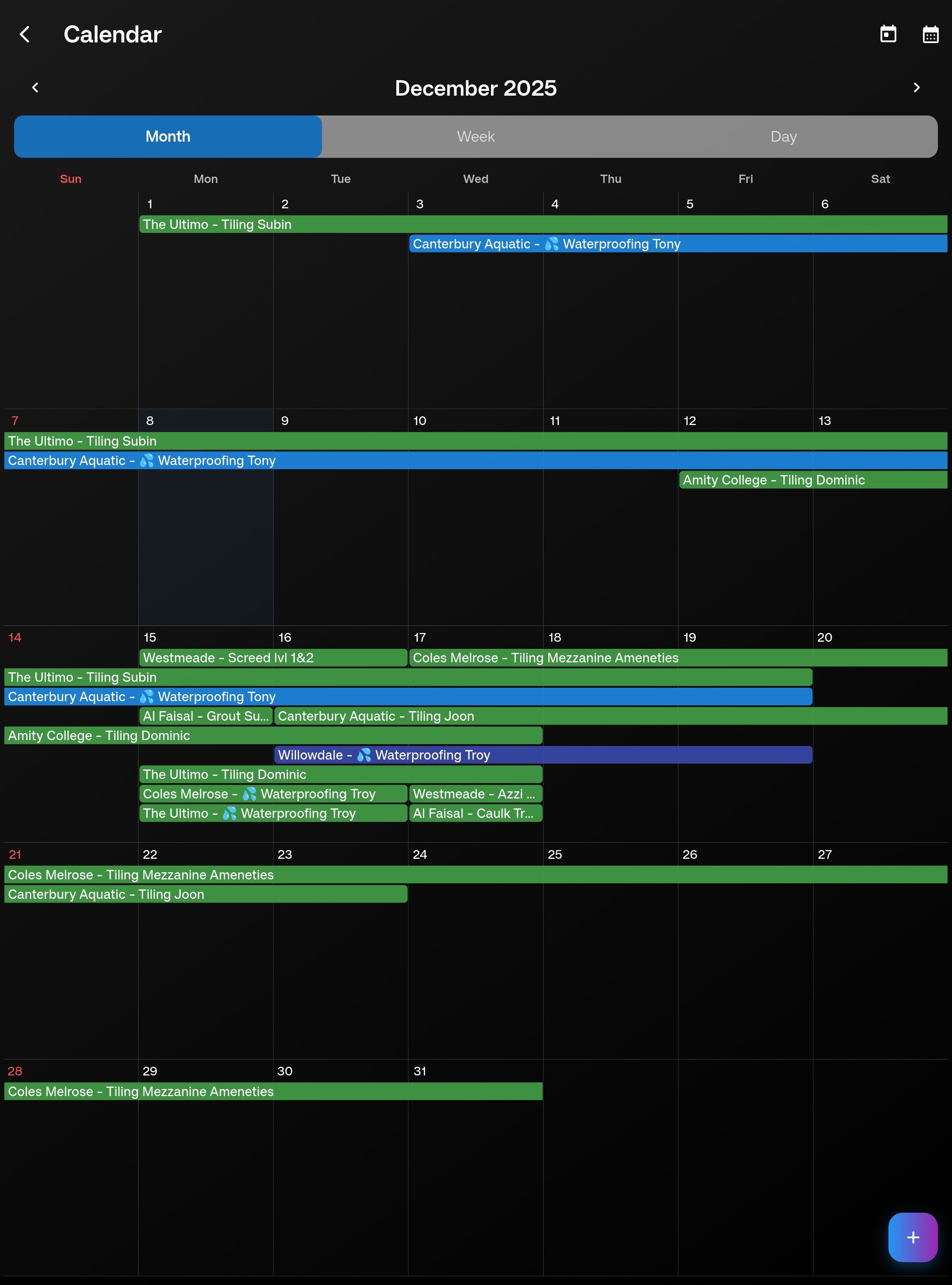
Multi-Day Calendar
Day, week, and month views with multi-day job spanning like Google Calendar. Drag to reschedule. Color-coded by trade category.
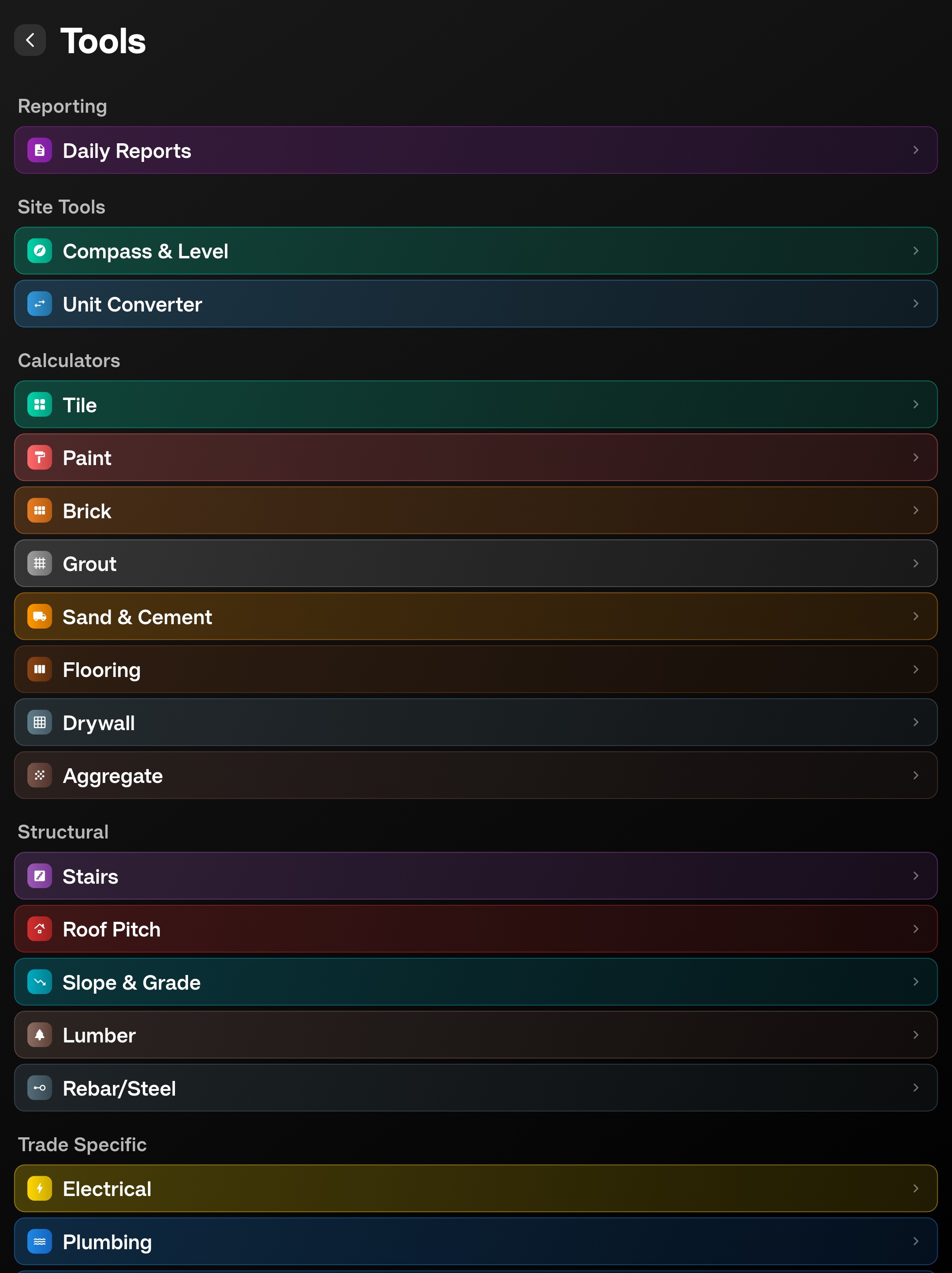
Trade Calculators
16+ built-in calculators including tile adhesive, sand and cement bag counts, tile, grout, paint, concrete, brick, waterproofing, electrical, pipe sizing, stairs, and more.
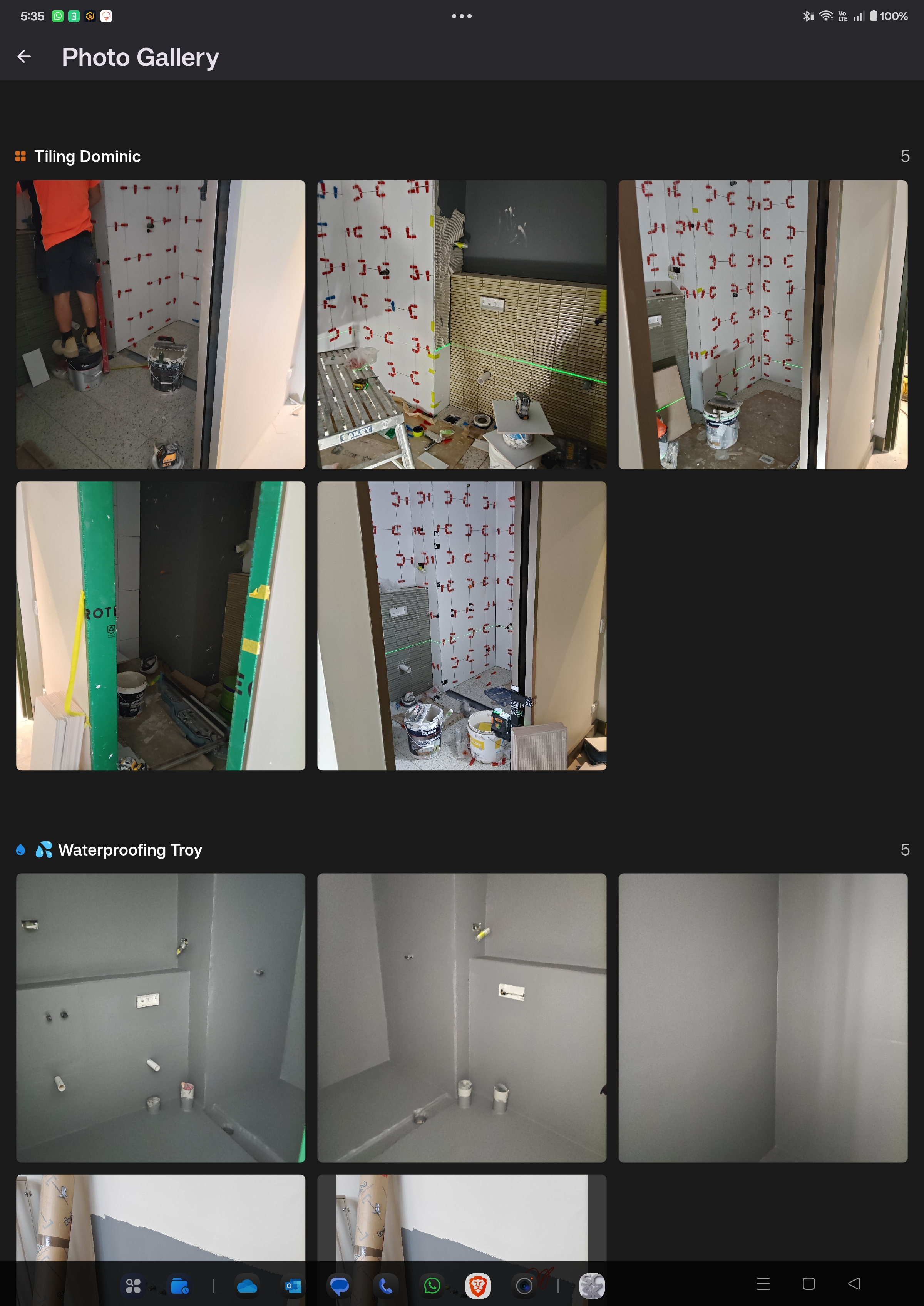
Photo Documentation
Capture, annotate with arrows/text/drawings, and organise photos by job. Export professional photo reports as PDF. Works 100% offline.
Materials & Inventory
Track warehouse stock, suppliers, and grouped job allocations. Select inventory materials inside projects, adjust quantities inline, and spot low, critical, and out-of-stock items quickly.
Project Checklists
Use built-in residential, commercial, and renovation templates or create custom checklists. Track progress, notes, custom items, and not-applicable items per project.
Team Management
Invite team members, send email invites, and manage owner, admin, read/write, and read-only access. Pending invites are checked on launch for existing accounts.
Cross-Device Sync
Automatic launch sync keeps projects, notes, documents, plans, contacts, materials, and queued app data moving between Android and Windows when signed into the same account.
Built-In Trade Calculators
No more separate apps or mental math. Professional calculators for every trade, with more added regularly.
Tile Coverage
m² with waste %
Tile Adhesive
6, 8, 10 & 12mm notch
Brick Calculator
Bricks per wall
Paint Calculator
Litres per room
Concrete Volume
m³ for slabs/footings
Waterproofing
Membrane coverage
Electrical Load
Amps & circuit sizing
Grout Calculator
kg per tile area
Stair Calculator
Rise, run, headroom
Sand & Cement
Mix ratios & 20kg bags
Pipe Sizing
Flow & diameter
Unit Converter
Imperial ↔ Metric
Timber/Lumber
Board feet & spans
Rebar Calculator
Steel quantities
HVAC Sizing
BTU requirements
Insulation
R-value coverage
Features in Active Development
These features are being shaped by real site feedback and production use.
🔗 Procore Integration
Two-way sync with Procore. Pull projects, push photos and reports. Work in SCSK, data flows to Procore automatically.
🔨 In development📦 Aconex Integration
Connect document registers, drawings, and project files so site documents can flow between SCSK and Aconex.
📋 Planned🍎 iOS & iPadOS
Apple device support for site teams using iPhone and iPad is planned after the Android and Windows production release.
📋 iOS pipeline in progress📋 Advanced Checklists
Template sharing, conditional checklist items, and richer approval flows for project quality and handover work.
📋 Planned📊 Advanced Reports
Custom report templates with your branding, richer exports, and faster reporting for clients and internal teams.
📋 Planned🤖 AI & Automation
Smart scheduling suggestions, faster job creation, and photo-assisted workflows once the core field tools are stable.
💡 ResearchUse SCSK Wherever You Work
Android and Windows are available now, with iOS and iPadOS next in the pipeline. Use phones for fast field capture, tablets for a roomier mobile workspace, and Windows desktop for office and reporting workflows.
Android
Optimised for tablets and foldables while remaining fully functional on phones. Android 6.0+. Updates delivered through Google Play.
Windows
Full desktop experience for office work, site containers, reporting, and larger project records. Large screen optimised with bulk project and document workflows.
iOS & iPadOS
Apple device support is in progress. iPhone and iPad are next after the Android and Windows release.
Where We're Headed
Transparent, phased development driven by real user feedback. Your input shapes what gets built next.
🎉 MVP Foundation
Core site companion with offline-first architecture. Stable foundation for everything else.
🚀 Productivity & Sync
Enhanced productivity features, Windows support, and cross-device sync foundations for real project work.
👥 Teams & Field Operations
Team permissions, checklists, inventory allocations, project-linked notes, and field workflows are the current focus while sync keeps improving.
🔗 Integrations Hub
Connect SCSK with the tools you already use. Two-way sync with industry platforms.
🤖 AI & Automation
Smart features that learn from your workflows and help you work faster.
Release Progress
New features, improvements, and bug fixes from recent releases.
SCSK 1.1.0 release
SCSK v1.1.0 refreshes the Android and Windows release builds with updated installer metadata and public download assets.
Project Checklists & Inventory
Built-in residential, commercial, and renovation checklist templates, custom templates, per-project progress tracking, inventory stock levels, supplier linking, and job material allocation.
Team Management & Permissions
Role-based access for owners, admins, editors, and viewers. Invite, suspend, reactivate, or remove members with read/write controls.
Windows Performance & Photo Sync
Reduced memory usage during sync, added download timeouts, improved photo sync stability, and restored direct download fallback on Windows.
Android, Windows & iOS Progress
Android is available through Google Play, Windows builds are active for desktop workflows, and the iOS submission pipeline has been established.
Connect Your Tools
SCSK works with the platforms you already use. More integrations coming based on user requests.
Procore
Sync projects, photos & reports
Aconex
Document management sync
Xero
Accounting & invoicing
MYOB
Accounting integration
Google Drive
File backup & sync
Dropbox
Cloud storage backup
Common Questions
Everything you need to know about SCSK.
How does offline mode work?
SCSK stores all data locally first. Everything works without internet — create jobs, take photos, add notes. When you're back online, changes sync automatically in the background.
How often are updates released?
We release new features and improvements every week. Bug fixes come even faster. Android users get updates through Google Play as soon as they are ready.
Is my data secure?
Yes. Data is encrypted on your device and during sync. We use Firebase (Google infrastructure) with enterprise-grade security. We never sell your data.
What is included?
Full access to project and job management, photos and annotations, documents and plans, checklists, inventory, contacts, team permissions, PDF reports, and trade calculators.
Will it work on my device?
Android 6.0+ is supported for phones, tablets, and foldables. Windows 10 and Windows 11 are supported. iOS and iPadOS are in progress.
How much will it cost?
SCSK has a free Starter plan plus paid Solo Pro and Team plans for sync, exports, unlimited jobs, Windows access, and no ads. View current plans on the subscriptions page.
Can I request features?
Absolutely! Email [email protected] or use the in-app feedback. User requests directly influence development priorities.
Does sync work across devices?
Yes. Sign in with the same account to sync projects, jobs, photos, documents, plans, contacts, materials, notes, and checklist data across supported devices. Sync reliability continues to be improved with each release.
Can my team use it?
Yes. Team management is available with owner, admin, editor, and viewer roles, plus member invite, suspend, reactivate, remove, and read/write permission controls.
Who's building this?
SCSK is built by a solo developer who's also a working site foreman. Real construction experience, real problems, practical solutions.
Support Independent Development
SCSK is built by a solo developer (who's also a working site foreman) passionate about creating practical tools for construction professionals. No VC funding, no corporate backing — just one person building software that solves real problems. Your support helps fund weekly development, server costs, and new features.
Buy Me a CoffeeGet SCSK Access
Use the Android release on Google Play or contact us for Windows access, support, and feedback.